Why LinkedIn Learning Videos Won’t Download?
If you’ve ever tried to download a LinkedIn Learning video and failed…
You probably assumed:
- “The downloader tool is broken”
- “Maybe the link expired”
- “There has to be some hidden workaround”
That’s exactly what most users think at first.
But after testing different methods on multiple LinkedIn Learning courses, one thing becomes very clear:
LinkedIn Learning videos are intentionally designed to NOT function like downloadable video files.
This isn’t a bug.
This isn’t a random restriction.
And in most cases, it’s not even the downloader’s fault.
It’s simply how the platform is built.
Direct Answer (Why LinkedIn Learning Videos Won’t Download?)
LinkedIn Learning videos usually cannot be downloaded as MP4 or HD files because:
- They are premium subscription-based content
- Protected using DRM (Digital Rights Management)
- Delivered through encrypted streaming systems
- Accessible only inside the LinkedIn Learning ecosystem
- Offline viewing works only inside the official app
You can temporarily save videos for offline access inside the app.
But that is NOT the same as downloading a real video file to your device.
Real Testing Scenario (What Actually Happens)
We tested multiple LinkedIn Learning lessons using different approaches people commonly recommend online.
Methods tested:
- Online downloader tools
- Browser extensions
- Developer tools inspection
- Direct saving attempts
- Screen recording
Results looked like this:
| Method | Success Rate | Real Outcome |
|---|---|---|
| Online downloaders | 0% | No usable access |
| Browser extensions | 0% | Stream blocked |
| Developer tools | 0% | Encrypted fragments only |
| Manual saving | 0% | Session/token restrictions |
| Screen recording | 100% | Works, but low-quality and manual |
One interesting thing we noticed:
Most tools were actually functioning correctly.
The problem wasn’t the tool.
The problem was the delivery system behind LinkedIn Learning itself.
The Real Reason (Deep Explanation)
Let’s simplify what’s happening behind the scenes.
1. DRM Protection (The Main Barrier)
LinkedIn Learning is a paid educational platform.
The courses are:
- Licensed content
- Instructor-owned intellectual property
- Subscription-protected assets
Because of this, LinkedIn uses DRM technology to:
- Prevent copying
- Prevent file saving
- Restrict redistribution
- Protect premium access
This is the same type of protection used by platforms like Netflix, Disney+, and many paid streaming services.
So when users try to “download” a course video as MP4…
the system intentionally blocks direct file access.
2. “Offline Download” Does NOT Mean File Download
This confuses many users.
Inside the LinkedIn Learning app, you’ll see a Download option.
But technically:
you are NOT downloading a normal video file.
What actually happens:
- The video is encrypted
- Stored inside the app environment
- Locked to your account/session
- Inaccessible through gallery or file manager
During testing on Android devices, the downloaded files were stored in protected app directories and could not be opened externally.
So the content is viewable offline…
but still controlled by the platform.
3. Subscription Lock (Another Major Reason)
Even offline content depends on:
- Active subscription access
- Logged-in authentication
- Periodic account verification
If the subscription expires:
offline access usually disappears too.
This is why downloaded lessons inside the app are not permanent media files.
4. Streaming-Based Delivery (Technical Layer)
Another major reason tools fail:
LinkedIn Learning videos are streamed dynamically instead of delivered as direct MP4 files.
The platform commonly uses:
- HLS streaming (.m3u8 delivery)
- Fragmented video chunks
- Temporary session tokens
- Expiring media URLs
This creates several restrictions:
- Links expire quickly
- Streams break outside authorized sessions
- Files arrive in fragments
- Direct MP4 saving becomes extremely difficult
When we inspected some course streams manually, the visible URLs often refreshed dynamically after session changes.
That’s why copied links frequently stop working.
Why Most Downloaders Fail (Important Insight)
Most downloader tools are built for:
- Public LinkedIn posts
- Open CDN media
- Non-protected videos
But LinkedIn Learning works differently.
| Restriction | Impact |
|---|---|
| DRM encryption | Blocks direct file access |
| Private subscription access | Requires authentication |
| Session-based delivery | Links expire |
| Fragmented streaming | No single MP4 source |
| Encrypted storage | Offline files inaccessible |
This is why:
even advanced download tools usually fail completely.
What Users Usually Try (And Why It Fails)
“Copy the lesson URL and paste into downloader”
Doesn’t work because: Learning videos don’t use public-access media URLs.
“Use browser extensions”
Most extensions cannot bypass DRM or authenticated streaming systems.
“Inspect element and save the file”
Usually only exposes:
- encrypted fragments
- temporary streams
- tokenized requests
Not a usable MP4 download.
“Use screen recording software”
This technically works…
but introduces:
- quality loss
- manual editing
- large file sizes
- audio/notification interruptions
So it’s not a scalable or clean solution.
What Actually Works (Realistic Solution)
Here’s the practical reality:
You generally CANNOT download LinkedIn Learning videos as clean MP4 files.
But many users change their approach after understanding this.
Smart Alternative Strategy (What Real Users Often Do)
Instead of trying to bypass protected course systems:
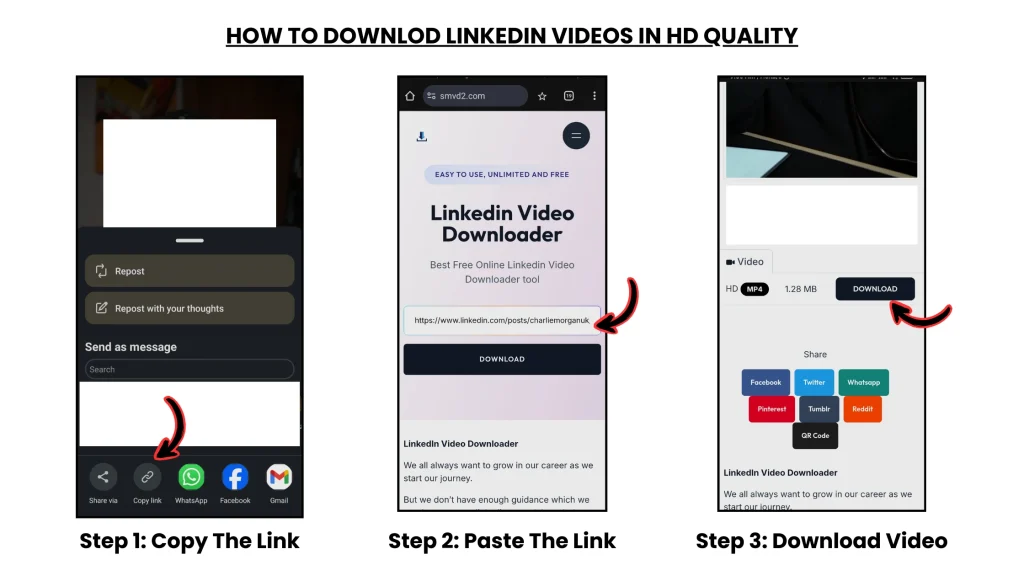
Step 1: Find Public Versions of Insights
Many instructors:
- share clips publicly on LinkedIn
- repurpose educational snippets
- publish shorter breakdowns
- upload promotional learning clips
These are public-facing videos — not protected course files.
Step 2: Save Those Public Videos Instead
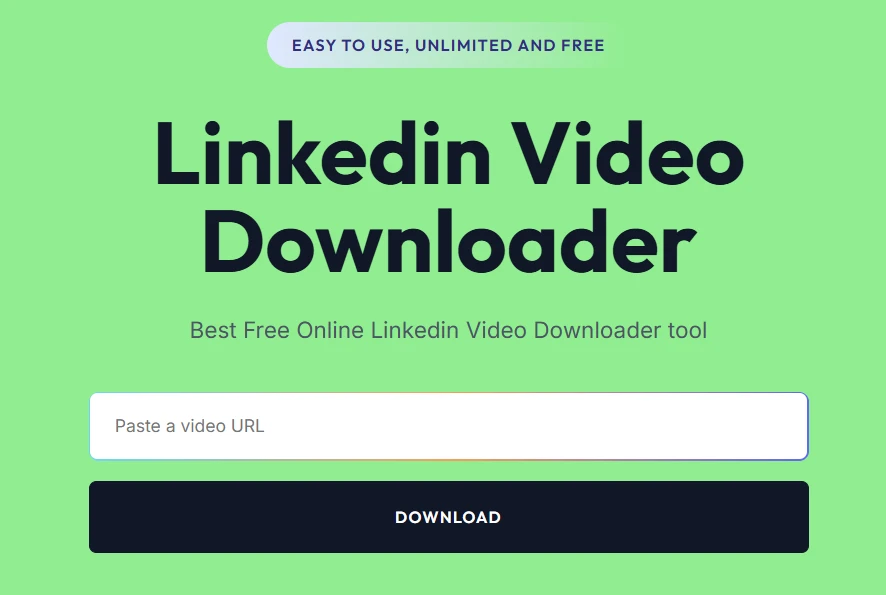
For public LinkedIn videos, tools like: smvd2.com
work normally because:
those videos are not protected with the same DRM restrictions.
That makes downloading:
- faster
- easier
- legally safer for public content
Real Example
Instead of trying to save an entire premium course:
Many users:
- save public clips
- bookmark instructor insights
- archive useful breakdowns
- build a personal reference library from public posts
That approach is significantly more practical.
Why SMVD2 Works Better for Public LinkedIn Videos
LinkedIn Learning videos are protected.
But regular LinkedIn feed videos usually are not.
That’s the difference.
During testing, SMVD2 handled public LinkedIn video downloads more consistently than most browser extensions we tried.
What stood out:
- Faster processing
- Better compatibility with creator posts
- HD support on many public videos
- No visible watermark addition
- Simpler mobile workflow
| Feature | Benefit |
|---|---|
| HD Download | Better learning quality |
| Fast Processing | Quick saving |
| No Watermark | Cleaner videos |
| Mobile Compatibility | Easier access |
| Public Video Support | Reliable results |
Shift Your Approach (This Changes Expectations)
Most people start with this mindset:
“I need to download the actual course video.”
But the more practical approach is often:
“Save accessible public insights and learning clips.”
Once users understand the difference between:
- protected premium content
and - public LinkedIn media
the confusion makes much more sense.
Legal Reality (Important)
Allowed:
- Offline viewing inside the official app
- Personal educational access
- Public content downloads (depending on usage)
Not allowed:
- Redistributing premium course videos
- Bypassing DRM protections
- Reuploading copyrighted lessons
Violating platform protections can potentially lead to:
- account issues
- copyright complaints
- subscription restrictions
FAQ
Can I download LinkedIn Learning videos as MP4 files?
In most cases, no.
The platform is intentionally designed to prevent direct file saving.
Why do downloader tools fail?
Because LinkedIn Learning uses:
- DRM protection
- encrypted delivery
- session-based streaming
- restricted access systems
Can I watch videos offline?
Yes.
But only inside the official LinkedIn Learning app.
Is there any workaround?
Not for clean direct MP4 downloads.
Most practical alternatives involve:
- offline app viewing
or - saving public educational clips instead.
What’s the best alternative?
Use public LinkedIn videos and creator clips when downloadable access is needed.
Future Insight
Educational platforms are increasingly moving toward:
- subscription-based ecosystems
- encrypted delivery systems
- stronger DRM enforcement
- account-controlled media access
Which means:
Direct downloading of premium educational content will likely become even more restricted over time.
Final Verdict
If LinkedIn Learning videos are not downloading…
it usually does NOT mean:
- the link is broken
- your device failed
- the tool is defective
In most situations:
the restriction exists by design.
The platform intentionally prevents direct course saving.
Bottom Line
LinkedIn Learning = Protected educational content
LinkedIn public feed = Accessible public content
If your goal is:
- offline learning
- saving insights
- archiving public clips
then focusing on public creator content is usually the more realistic approach.
And for public LinkedIn videos, tools like: SMVD2.com
Related Articles:
- Why Can’t I Download LinkedIn Videos? Common Fixes
- Is It Legal to Download LinkedIn Videos?
- LinkedIn Video Downloader Not Working? Here’s What to Do