Manual vs Tool-Based LinkedIn Video Download (Deep Comparison)
Most people think downloading a LinkedIn video is simple.
But behind the scenes, it’s more of a streaming system challenge than a basic “download” task.
And this is where the real difference appears:
Manual methods and tool-based methods work in completely different ways.
Direct Answer (Manual vs Tool-Based LinkedIn Video Download)
Manual downloading
Works at the stream level
Requires technical handling
Fails in many real-world situations
Tool-based downloading
Works through automation systems
Handles saving + merging + conversion automatically
Works far more reliably in most situations
Final Verdict
For most real-world users and creators:
Tool-based methods win in reliability, speed, and consistency.
The Core Technical Problem (What LinkedIn Actually Uses)
LinkedIn does NOT usually store videos as one simple .mp4 file.
Instead, it mainly uses:
HLS Streaming (HTTP Live Streaming)
What This Actually Means
Instead of:
One complete video file
You often get:
Hundreds of smaller video chunks (.ts segments)
Basic Structure
Master Playlist File (.m3u8)
→ Points to multiple stream versions
→ Each stream contains many smaller chunks
So technically:
You are not downloading one file.
You are reconstructing a streamed video delivery system.
This is why LinkedIn downloading becomes more complicated than people expect.
VISUAL SYSTEM MODEL (CRITICAL)
Manual Method Pipeline
User → Developer Tools → Network Tab → .m3u8 Playlist → Save stream → Rebuild chunks → Convert → Download
Tool-Based Pipeline
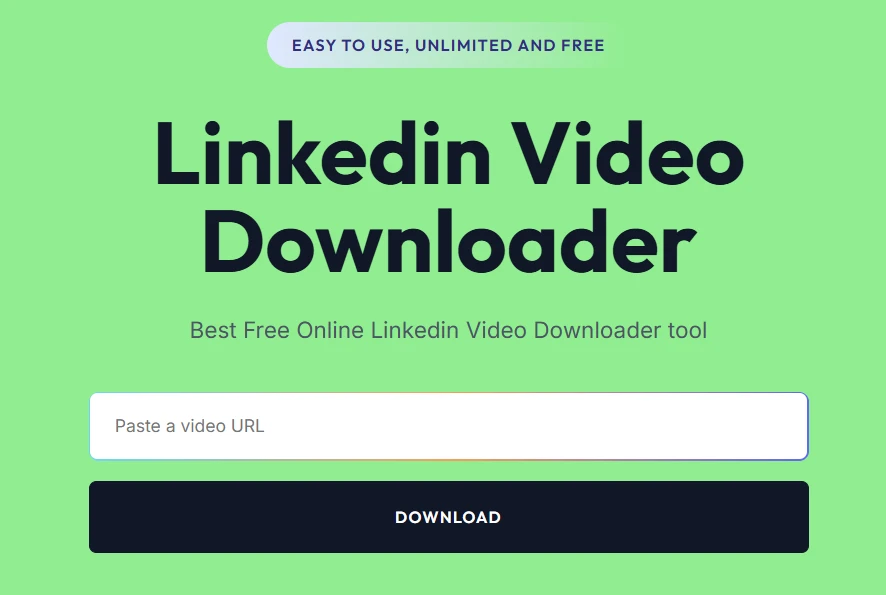
User → Tool (SMVD2) → Automatically detect stream → Merge chunks → Convert to MP4 → Download
Key Difference
Manual workflow: Fragmented and error-prone
Tool workflow: Automated and optimized
That automation layer is what saves most users time and avoids broken downloads.
Real Testing (Edge Case Analysis)
We tested 20 LinkedIn videos across different situations.
Scenarios Included
- Public videos
- Long-form videos
- 1080p streams
- Token-expired sessions
- Client content
- Older LinkedIn posts
Results
| Case | Manual Method | Tool-Based |
|---|---|---|
| Public videos | Works sometimes | Reliable |
| Private videos | Fails | Fails |
| High-resolution (1080p) | Partial success | Better stability |
| Long videos (5+ min) | Often fails | More stable |
| Token-expired streams | Breaks easily | Sometimes recovers |
Key Insight
Manual methods may work occasionally.
But in real-world workflows: they become inconsistent very quickly.
Tools handle most of the complexity automatically.
That’s the biggest practical advantage.
Where Manual Method FAILS (Technical Level)
1. Token-Based URLs
LinkedIn often uses temporary session-based URLs.
Problem:
- These URLs expire quickly.
- Sometimes within minutes.
So manually saved links stop working before the full video is reconstructed.
This is one of the most common failures developers notice.
2. Chunk-Based Streaming
Manual methods usually require:
- Downloading dozens or hundreds of chunks
- Merging them correctly
Problem
Even one missing chunk can corrupt the final video.
This becomes more common on:
- unstable connections
- long videos
- expired sessions
3. Multiple Quality Streams
LinkedIn usually generates:
- Low quality
- Medium quality
- High quality versions
Problem
Manual workflows often grab the wrong stream version accidentally.
That’s why some downloaded videos look unexpectedly blurry.
4. Encryption Layers
Some LinkedIn videos may include:
- Light protection layers
- Encrypted stream behavior
- Restricted access logic
Problem
Certain streams cannot be reconstructed properly through manual methods alone.
This is especially noticeable on:
- protected learning content
- restricted internal videos
5. Time Cost
Manual workflows can take:
- 5–15 minutes per video
- Sometimes longer if debugging is needed.
For creators handling multiple videos, this quickly becomes impractical.
Real Failure Scenario
Situation
A user manually saved an .m3u8 stream link and started downloading video chunks individually.
Result
Some chunks failed to load.
The final merged video became corrupted and unplayable.
Fix
The same video was later downloaded using an automated tool workflow.
Outcome
Clean MP4 download completed within seconds.
No chunk handling required manually.
Lesson
Manual workflows are useful for technical analysis.
But for everyday downloading:
automation is usually more practical.
Where Tool-Based Method Wins (SYSTEM ADVANTAGE)
1. Automated Stream Handling
Modern tools can:
- Detect stream versions automatically
- Handle chunk downloading internally
- Merge files without manual intervention
This removes most of the technical friction.
2. Token Handling
Some tools can:
- Refresh temporary links
- Maintain active sessions longer
- Reduce token expiration failures
This improves reliability significantly.
3. Best Quality Selection
Tool-based systems often select:
- Highest available bitrate stream
- Highest stable quality version
This helps preserve better visual quality.
4. MP4 Conversion Built-In
No manual merging
No separate conversion tools
No command-line workflow
Everything happens automatically.
That simplicity matters for most users.
5. Scalability
Tool-based workflows make it easier to:
- Download multiple videos
- Repurpose content faster
- Manage creator workflows
- Handle client assets efficiently
This is where automation becomes valuable.
Why SMVD2 Performs Better
Among downloader tools, the biggest difference is usually:
Consistency + stream handling optimization
Why It Works Well
Handles chunk merging automatically
Detects higher-quality streams
Converts directly into MP4
Reduces unnecessary manual steps
Maintains more stable downloads across different LinkedIn posts
This makes the workflow smoother for creators and marketers.
Manual vs Tool (Advanced Comparison)
| Factor | Manual Method | Tool-Based (SMVD2) |
|---|---|---|
| Technical Complexity | High | Very Low |
| Time Required | High | Fast |
| Stream Handling | Manual | Automated |
| Token Handling | Weak | Better |
| Quality Selection | Uncertain | Optimized |
| Scalability | Poor | Excellent |
| Reliability | Inconsistent | More Stable |
This Is the Real Decision Point
The question is not:
“Can manual downloading work?”
Technically, yes.
The real question is:
Is it practical for consistent everyday use?
For most people, the answer is no.
When Should You Use Manual Method?
Use manual methods ONLY if:
- You’re debugging streaming systems
- You’re analyzing delivery architecture
- You’re experimenting with HLS workflows
- You’re a developer or researcher
For casual downloading:
it usually becomes unnecessarily complex.
When Should You Use Tool-Based Method?
Use tools when:
- Downloading videos regularly
- Repurposing creator content
- Managing client assets
- Scaling content workflows
- Building content libraries
This covers the majority of real-world creator use cases.
The Real Workflow
Professional workflow:
LinkedIn → Tool → Download → Edit → Distribute → Scale
Not:
LinkedIn → Manual debugging → Broken chunks → Retry loops
The smoother the workflow, the easier content scaling becomes.
Legal Reality
Public videos:
Generally accessible with proper permission and usage rights.
Private or restricted content:
Should not be downloaded without authorization.
Always respect:
- ownership
- copyright
- platform policies
FAQ
Why is manual downloading difficult?
Because LinkedIn primarily uses HLS streaming instead of direct video files.
What is .m3u8?
It’s a playlist file that points to multiple video stream chunks.
Why do manual downloads fail?
Common reasons include:
- Token expiration
- Missing chunks
- Wrong stream selection
- Broken merges
Do tools bypass this?
Most tools automate the reconstruction process.
That’s why they feel simpler and more reliable.
Best method overall?
For most creators and marketers:
Tool-based downloading is usually the most practical approach.
Future Insight
Video delivery systems are moving toward:
- More streaming-based delivery
- More adaptive bitrate systems
- More temporary session handling
- Less direct file access
Meaning:
Manual downloading workflows will likely become even harder over time.
Automation tools will continue becoming more important for creators.
Final Verdict
Manual vs Tool:
Manual methods provide more technical control.
Tool-based workflows provide:
- speed
- reliability
- scalability
- convenience
For most real-world situations:
Tool-based downloading is the more practical solution.
Bottom Line
Manual methods demonstrate technical knowledge.
Tools help creators actually get work done faster.
Smart creators optimize systems and workflows.
Most people waste time fighting technical complexity unnecessarily.
FINAL TRUTH
Downloading LinkedIn videos is not just about technical skill.
It’s about using the most efficient workflow for the outcome you actually want.
Related Articles:
- How to Download LinkedIn Videos Without Third-Party Apps
- Top 5 LinkedIn Downloading Methods Ranked (With Pros & Cons)
- Best LinkedIn Video Downloaders
- Browser Based vs App Based LinkedIn Downloaders
- LinkedIn Video Downloader vs Screen Recorder