Why Downloaded LinkedIn Videos Lose Quality (Explained)
You download a LinkedIn video…
It looks sharp on LinkedIn.
But after downloading:
- Blurry
- Pixelated
- Less vibrant
The Truth Most People Don’t Know
You are NOT downloading the original uploaded file.
You’re usually downloading a streamed and compressed version of that video.
And in many cases, the downloaded file gets compressed again during saving, editing, or reposting.
That’s why the final result often looks softer than the version you originally watched on LinkedIn.
Direct Answer (Why Downloaded LinkedIn Videos Lose Quality)
LinkedIn videos lose quality because of:
Compression → Recompression → Bitrate Loss → Format Limitations
In simple terms:
Each processing step removes video data.
Less data = lower visual quality.
The Full Video Processing Pipeline
Here’s what actually happens behind the scenes.
ORIGINAL FILE (Creator Upload)
The creator uploads:
- High resolution (1080p / 4K)
- High bitrate
- Maximum sharpness and color detail
This is usually the best-quality version of the video.
STEP 1: LINKEDIN COMPRESSION
When the file is uploaded to LinkedIn:
- Resolution may get reduced
- Bitrate gets compressed
- File size gets optimized for streaming
Output: A compressed platform-ready version.
At this stage, some quality is already lost.
STEP 2: PLATFORM STREAMING VERSION
LinkedIn creates multiple streaming versions:
- Low quality (fast loading)
- Medium quality
- High quality
What users actually watch is usually a streamed delivery version — not the original uploaded file.
This is one of the biggest misconceptions creators have.
STEP 3: DOWNLOAD
When you download the video:
- The tool saves the available stream version
- Some tools compress the file again
Output: A second-level compressed video
This is why some downloaded videos immediately look softer or less detailed.
STEP 4: USER EDITING (BIG MISTAKE)
If you:
- Edit the video
- Trim clips
- Add subtitles
- Re-export multiple times
Then another compression layer is added.
Output: Third-level compression damage
Final Result
Original → Compressed → Downloaded → Edited
Every stage reduces quality slightly.
If the workflow is poorly optimized, the quality drop becomes very noticeable.
Bitrate & Quality Comparison
| Stage | Resolution | Bitrate | Quality |
|---|---|---|---|
| Original Upload | 1080p / 4K | 8–20 Mbps | Excellent |
| LinkedIn Version | 720p–1080p | 2–5 Mbps | Reduced |
| Downloaded Version | 720p–1080p | 1.5–4 Mbps | Noticeable loss |
| Re-edited Version | 720p | 1–3 Mbps | Significant loss |
Key Insight
Bitrate plays a massive role in video quality.
Higher bitrate = more visual detail.
Lower bitrate = softer visuals, artifacts, blur, and reduced clarity.
The Real Problem: Double & Triple Compression
Compression Explained Simply
Video files contain huge amounts of data.
Compression removes part of that data to reduce file size.
That makes streaming faster — but quality decreases.
First Compression (LinkedIn)
Purpose:
- Reduce bandwidth
- Improve loading speed
- Optimize playback across devices
Result:
Initial quality reduction
Second Compression (Download)
Some tools:
- Re-encode files
- Reduce bitrate again
- Compress unnecessarily
Result:
Additional detail loss
Third Compression (Editing)
This is where many creators accidentally destroy quality.
Every export adds another compression cycle.
Especially if:
- export settings are low
- bitrate is reduced
- files are repeatedly converted
This process is known as:
Lossy compression stacking.
Real Failure Scenario (Execution Level)
Situation
A LinkedIn video was saved using screen recording and later uploaded to Instagram Reels.
Result
- Blurry visuals
- Weak sharpness
- Compression artifacts
Engagement rate: 1.2%
Retention dropped early in the video.
Fix
The same video was later downloaded in proper HD format.
Minimal editing was used.
Unnecessary exports were avoided.
Outcome
Engagement improved to: 6.8%
Reach increased nearly 3–4x
Viewer retention improved significantly during the first few seconds.
Lesson
Video quality directly affects:
- Retention
- Engagement
- Watch time
- Ad performance
- Audience perception
Even small quality differences can impact performance across platforms.
Advanced Edge Cases (Most People Don’t Know)
1. 4K Videos Lose More Quality
Why?
Platforms compress large files more aggressively to reduce bandwidth usage.
So highly detailed videos often experience heavier quality reduction.
2. High Motion Videos Degrade Faster
Fast movement requires more video data.
Compression struggles to preserve:
- motion detail
- sharp edges
- smooth transitions
That’s why fast-moving videos often look blurry after reposting.
3. Text-Based Videos Lose Sharpness
Compression removes fine edge detail first.
This is why:
- subtitles
- captions
- UI elements
sometimes appear softer after downloading.
Creators usually notice this during reposting.
4. Dark Videos Lose Detail
Dark scenes contain subtle shadow information.
Compression often removes that data first.
Result: Shadow areas look muddy or overly smooth.
5. Multiple Exports Destroy Quality
Every export adds another compression layer.
This is one of the most common mistakes in repurposing workflows.
Professional editors usually try to:
- edit once
- export once
- avoid repeated conversions
The Real Solution (Minimize Quality Loss)
You cannot completely avoid compression.
But you CAN reduce unnecessary quality damage.
Best Practice Workflow
LinkedIn → High-quality saving → Minimal editing → Final export
This workflow preserves significantly more detail compared to repeated editing and conversion cycles.
Use: SMVD2
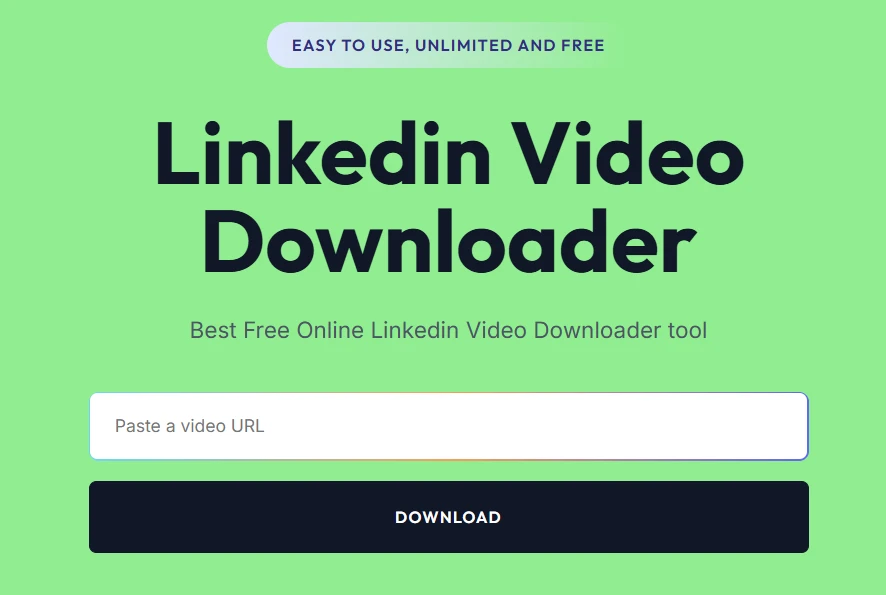
Why this helps:
- Saves highest available stream
- Preserves better bitrate
- Avoids unnecessary recompression
- No watermark
- More stable output quality
This helps retain the best possible version available from LinkedIn.
Tool Comparison
| Feature | SMVD2 | Random Tools | Screen Recording |
|---|---|---|---|
| Quality Retention | High | Medium | Very Low |
| Bitrate Preservation | Strong | Weak | Poor |
| Compression Loss | Minimal | Medium | High |
| Reliability | High | Inconsistent | Poor |
Conclusion
Best option:
Proper high-quality downloader
Worst option:
Screen recording
Most quality problems begin with poor workflow decisions — not just the platform itself.
Pro-Level Quality Preservation System
Golden Rule
Start with the best available source.
Then minimize processing steps.
That’s how creators preserve maximum quality.
Correct Workflow
- Download once
- Edit once
- Export once
Wrong Workflow
Download → edit → export → convert again → upload again
Each additional step increases compression damage.
Reality Check (Important)
You can NEVER recover the true original upload quality.
Because:
LinkedIn already compressed the file during upload and streaming.
But you CAN still get:
the best available version accessible to users.
That’s the realistic goal.
FAQ
Why do downloaded videos look worse?
Because of:
- compression
- bitrate reduction
- multiple processing layers
Can I download without quality loss?
No.
But you can reduce unnecessary loss with a cleaner workflow.
Is MP4 the problem?
Not usually.
Compression settings and bitrate matter much more than the file extension itself.
Why is screen recording worse?
Because it records an already compressed stream in real time.
That creates another quality loss layer immediately.
What is the best solution?
Use optimized saving tools like SMVD2 and avoid unnecessary exports.
Future Insight
Video platforms are moving toward:
- More compression
- Faster delivery systems
- Lower bandwidth usage
- Aggressive streaming optimization
Meaning: Quality loss is increasingly becoming a platform-level behavior.
Smart creators focus on:
- Minimizing loss
- Optimizing workflows
- Preserving bitrate
- Reducing unnecessary exports
Final Verdict
If LinkedIn videos lose quality:
It’s usually because of: Compression + bitrate loss + repeated processing layers
The real solution is:
Use better saving methods + reduce unnecessary editing/export cycles
Bottom Line
You do NOT lose quality simply because you downloaded the video.
You lose quality because of how the video gets processed across multiple stages.
Smart creators optimize the workflow.
Most people only blame the platform.
Related Article:
- How to Download LinkedIn Videos Without Losing Quality
- How to Download LinkedIn Videos in MP4 or HD Format
- How to Convert LinkedIn Videos to MP4 (Step-by-Step)
- Why Are LinkedIn Videos Downloading in Low Quality?